 AUTOMATAsoftware that writes the report
Development preview: desktop release availability and supported features are awaiting confirmation; AUTOMATA is $39 a month for an individual evaluator; district and group subscription prices are negotiable. The browser demo is available now.
School psychology reports. Automate the draft.
AUTOMATA is psychoeducational report-writing software being developed for school psychologists. Explore how assessment records can become organized score tables, graphs and draft narratives, with your professional review before the report is finalized.
Explore the public demo with fictional data. Read the data-handling information and confirm your deployment settings before using student records.
Development preview: This page describes the intended workflow. Desktop release availability, supported features and deployment arrangements must be confirmed for your setup. View release status.
From assessment data to a psychoeducational report.
Explore report automation benefits, teacher survey emails and reminders, or a fictional psychoeducational report sample.
You do the first step and the last one. AUTOMATA does everything in between, and every step leaves a trail.
Upload — the PDFs and the records, as they are
Drop in the score reports (WISC-V, WJ IV, WRAML-3, PH-3 (Piers-Harris 3), BASC-3, Vineland-3, and common rating scales), prior evaluations and student records. AUTOMATA reads them directly; you never retype a number. Every score, percentile, confidence interval, date and descriptor lands in one structured data sheet with the page it came from. A printed value always wins over a computed one.
Descriptors — from the publisher's own band table
"Low Average" means what Pearson, Riverside or WPS says it means, for that instrument. Every band table in AUTOMATA is checked against the publisher and covered by a self-test that fails loudly if a cutoff ever drifts. Tails read "<1" and ">99", the way the report prints them.
Write — tables, graphs, and every data point in context
AUTOMATA builds the score tables and graphs, then discusses each data point as it relates to the student's suspected disability — or the absence of one — in your own template and voice. Strengths and needs, previous-assessment summaries and the eligibility reasoning are written the same way.
Recommend — score-specific, tied to the eligibility
Clinical recommendations are generated from the actual scores and the eligibility category, not from a generic list: a Very Low working memory index under an SLD finding produces different recommendations than the same score under OHI, and an Average one produces none. Prior testing is carried forward into a score-history table alongside.
Verify — every claim, before you see it
Every score in the prose is matched to the table. Every descriptor is matched to the band. Section order, required headings and formatting are audited against your standard. A mismatch is flagged, never silently fixed. A missing score leaves the sentence blank and flagged — AUTOMATA never fills a gap with a plausible number.
Approve — nothing runs without a yes
The audit is a proposal, not an action. You see what would change, accept or reject each item, and sign. Identifying data was never in the draft: AUTOMATA works on de-identified records, and the finished report is re-assembled on your side.
The eight tests AUTOMATA reads today.
Here is each score card, filled in with a fictional student. Tap one to see what the test measures.
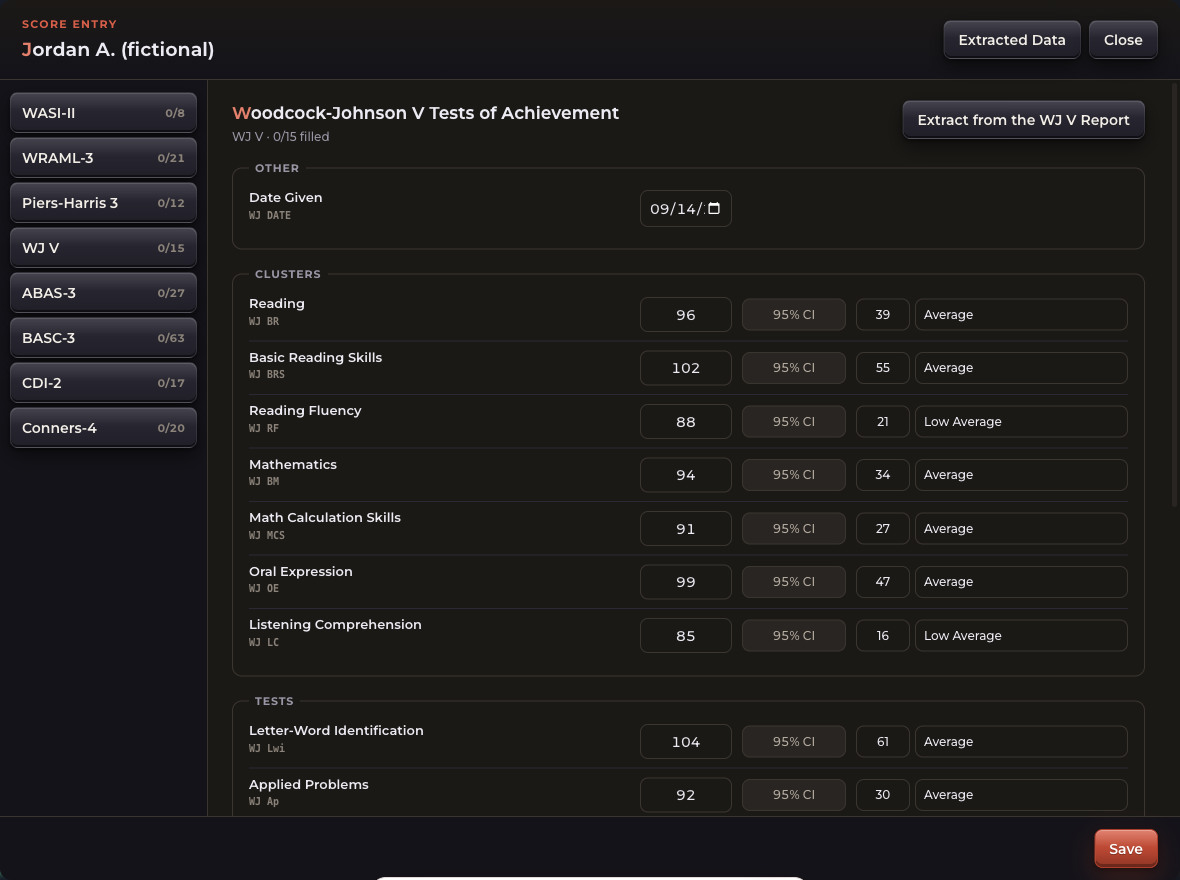 WJ VSee what it measures
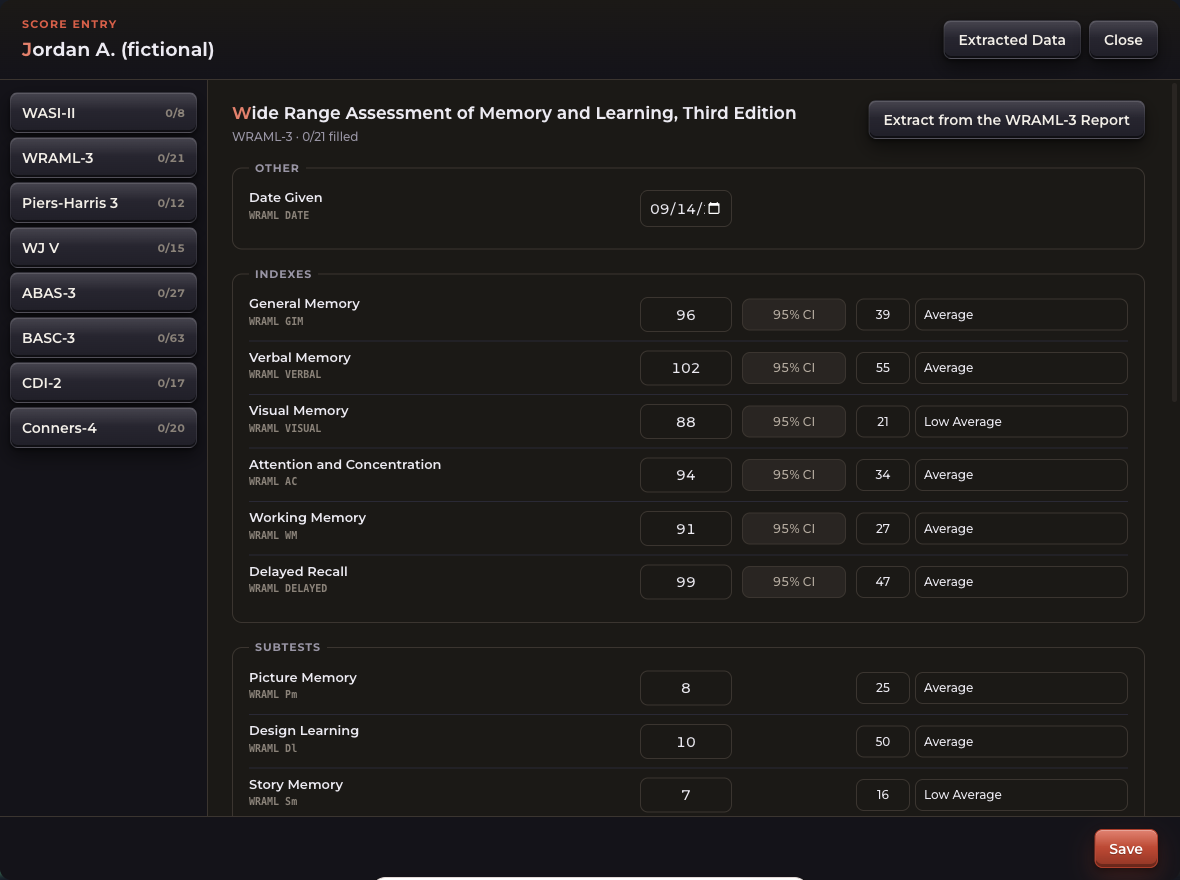 WRAML-3See what it measures
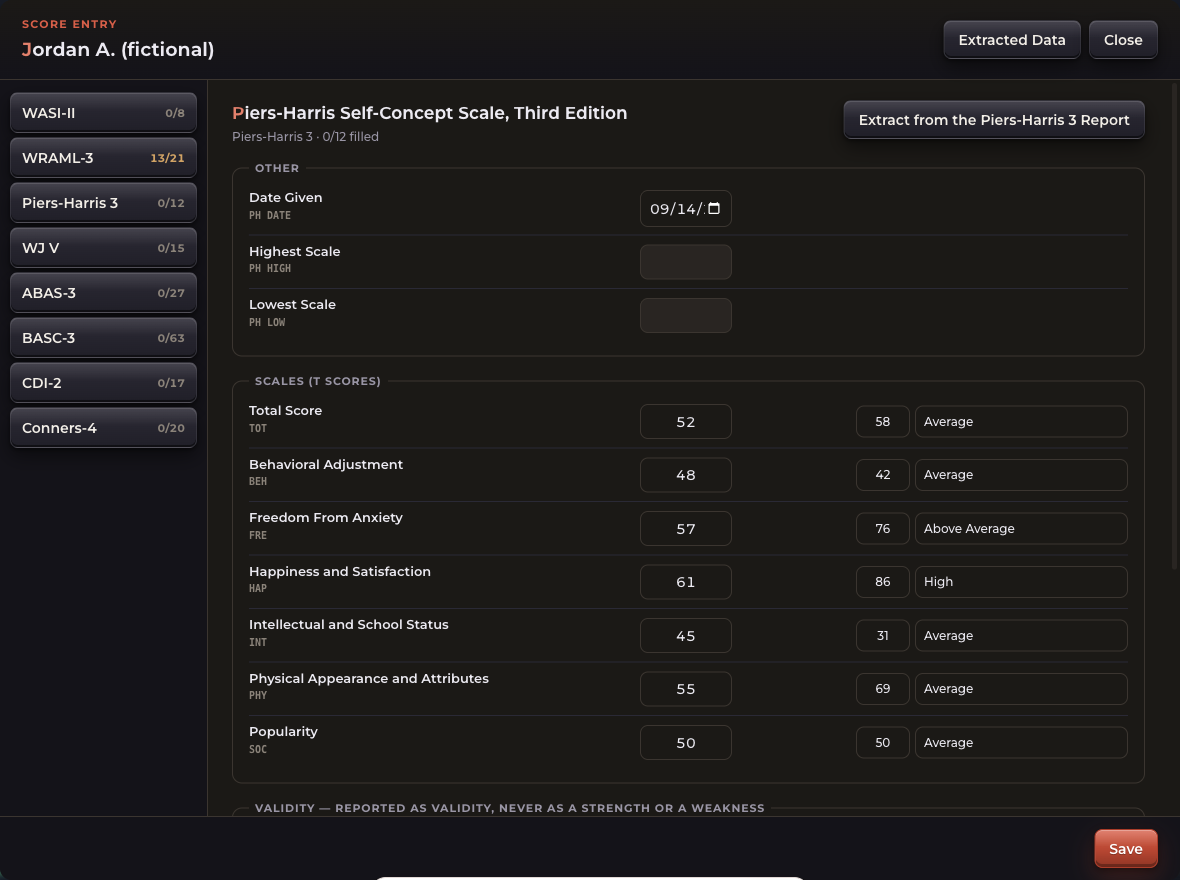 Piers-Harris 3See what it measures
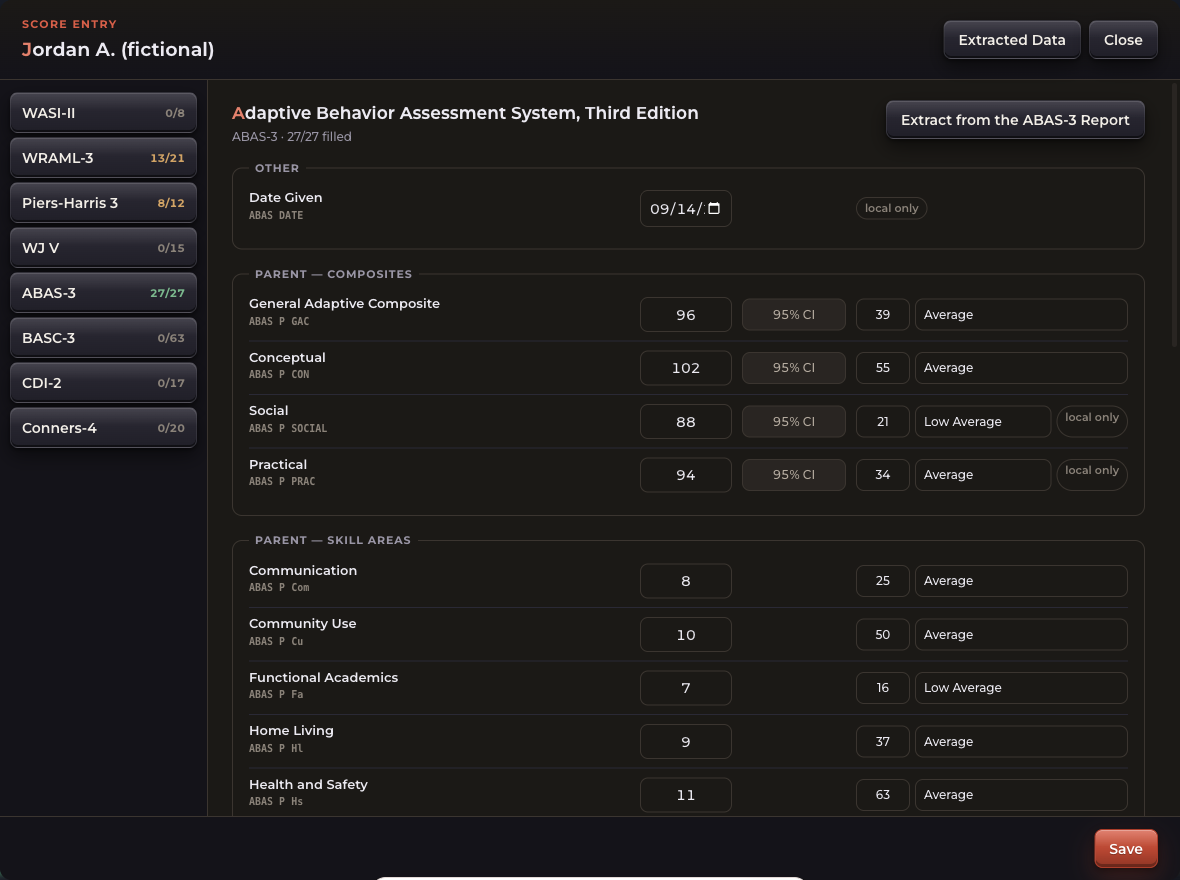 ABAS-3See what it measures
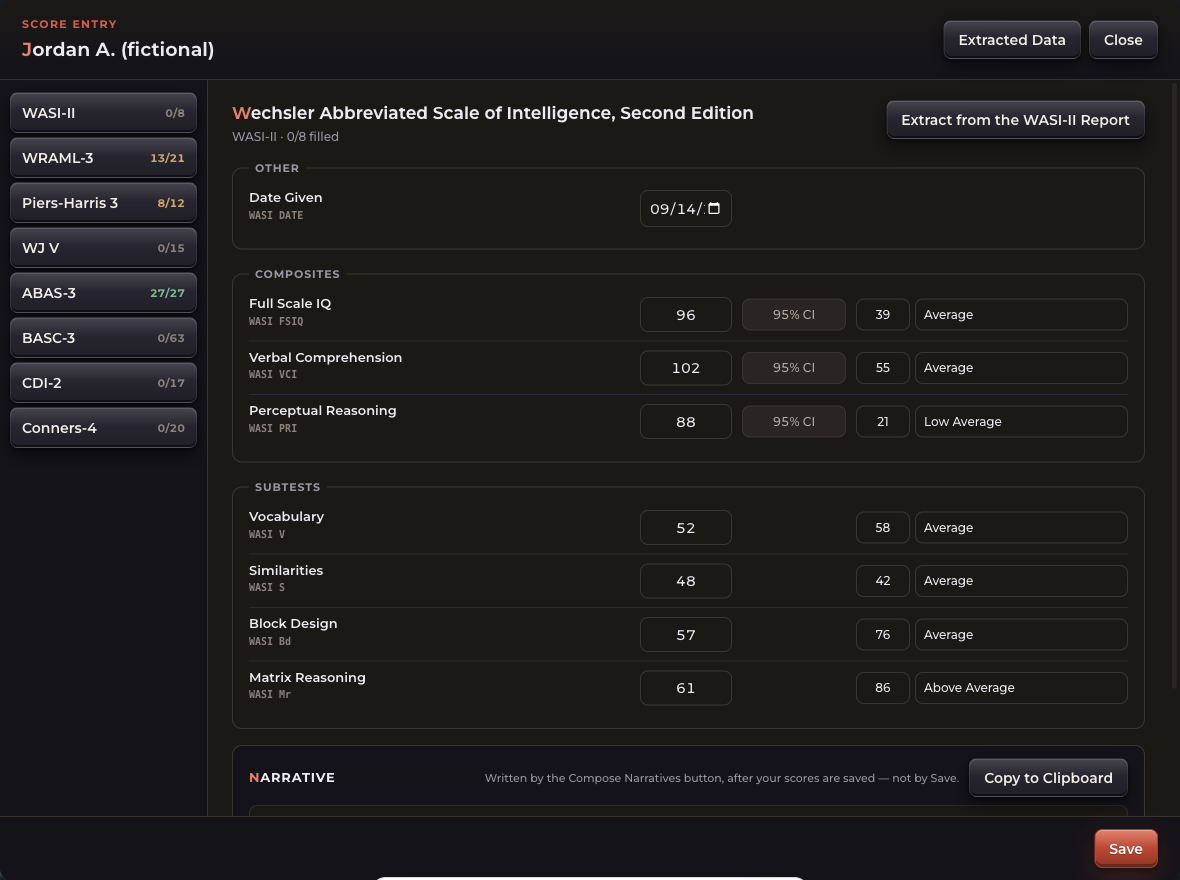 WASI-IISee what it measures
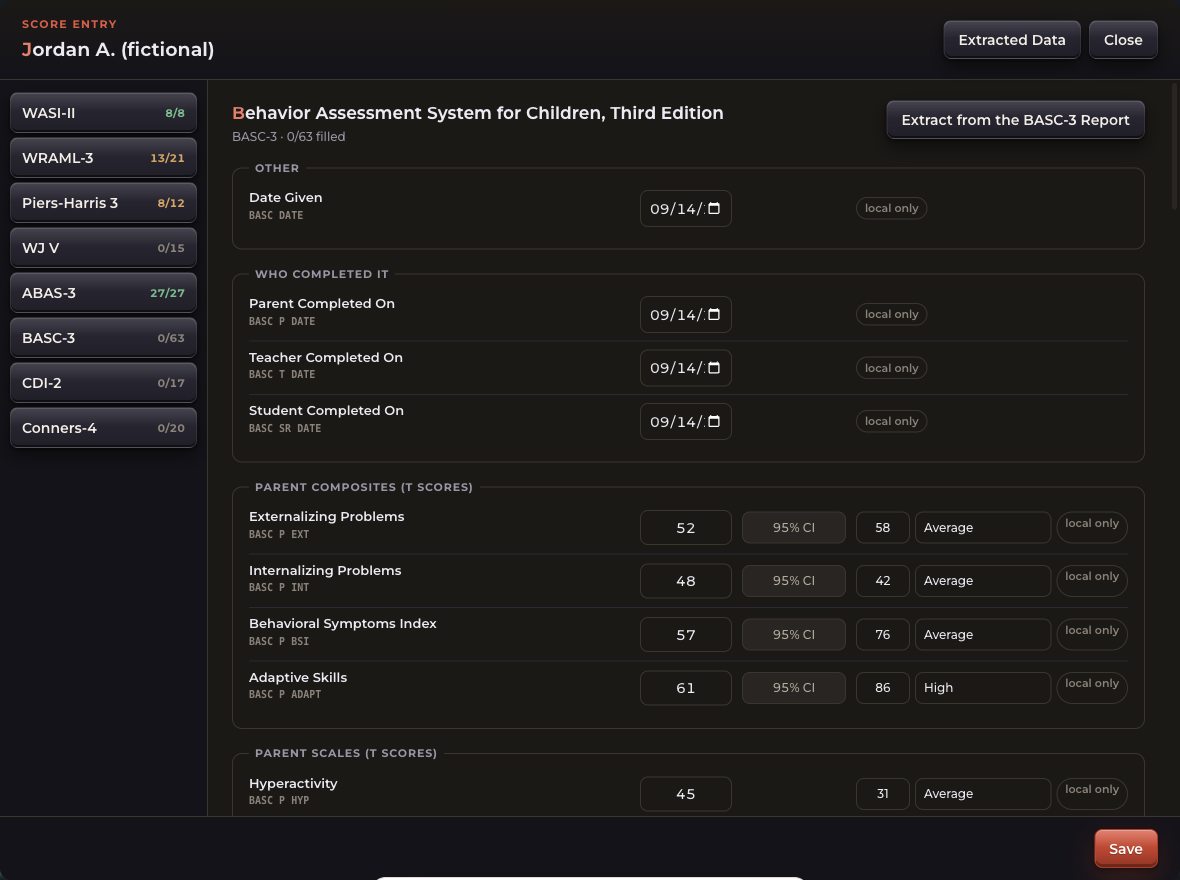 BASC-3See what it measures
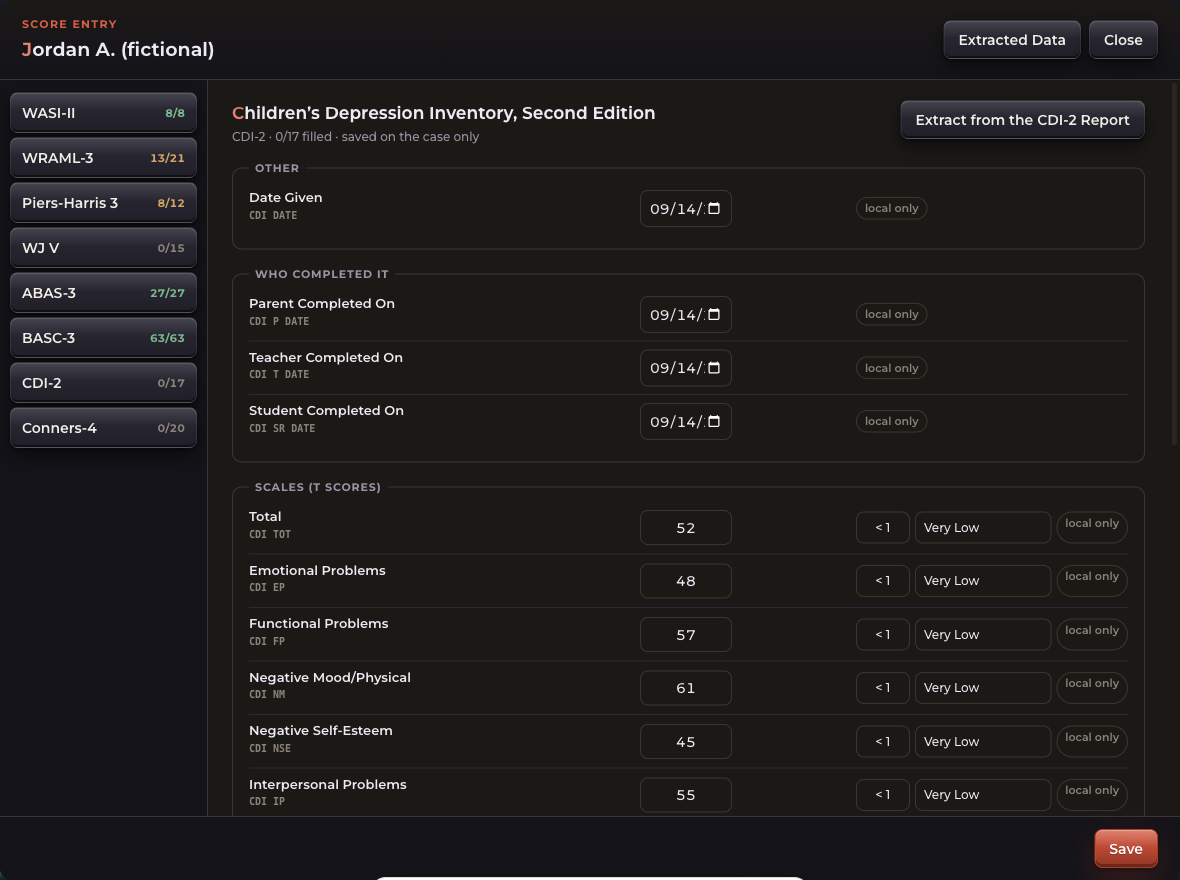 CDI 2See what it measures
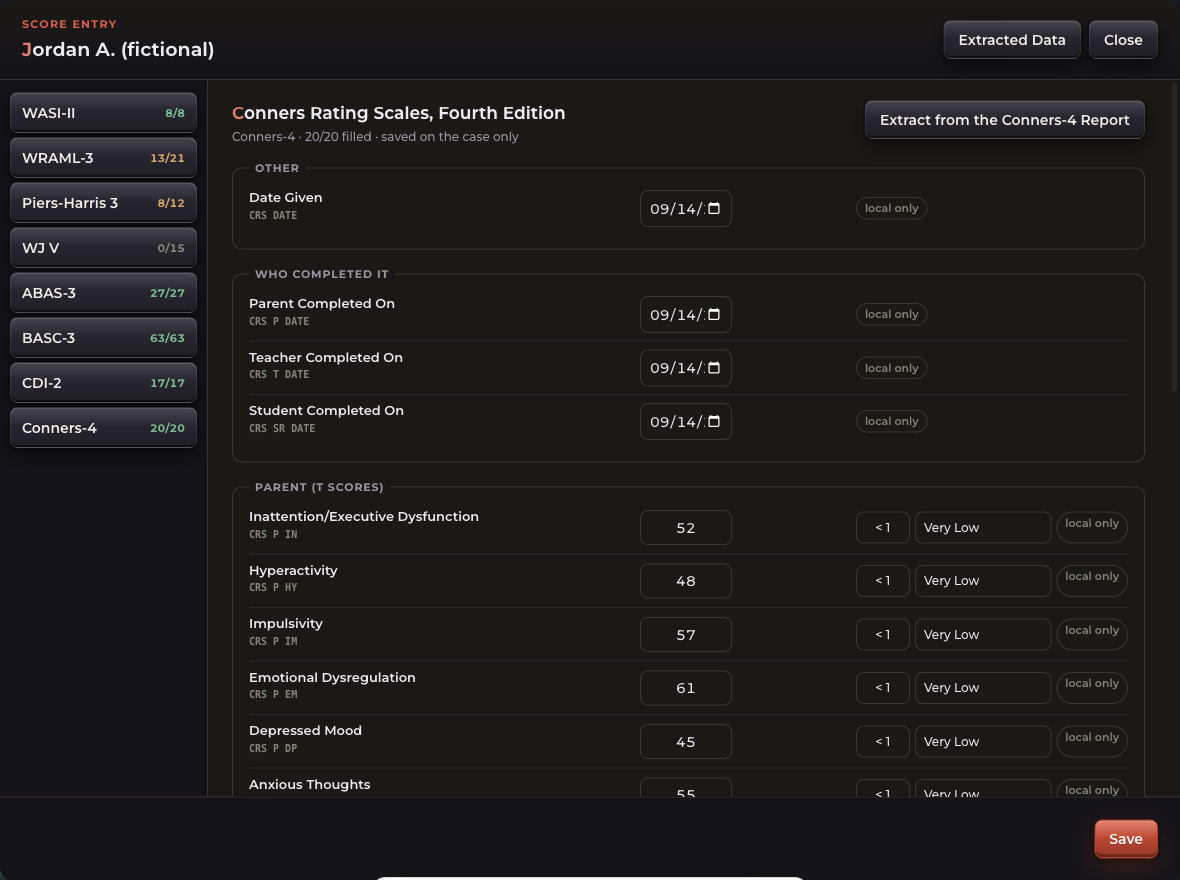 Conners 4See what it measures
Every picture shows a fictional student with made-up scores.
Built for the report you actually sign.
Automate the work around the report, too.
A report is more than paragraphs. AUTOMATA brings together assessment records, interview transcription and survey responses, then prepares tables, graphs, summaries and narratives for your review.
Try assessment data to report automation · Read a fictional sample report · Watch the score-to-report walkthrough
It goes and finds the data.
- Pulls the student's details straight out of their records — no retyping.
- Finds previous test scores, organizes them, and writes them up.
- Upload or photograph the score report — it reads the numbers off the page, so nothing is retyped or guessed at.
- Transcribes your interviews.
- Automates teacher survey emails and reminders through the web app, then summarizes responses for report writing. See the teacher survey workflow.
- Sends a parent survey by phone or email, in English or Spanish.
It does the math you shouldn't be doing.
- Works out the percentile for every score.
- Puts the right range next to it — Low Average, Very Low — from the publisher's own table.
- Builds the score tables and the graphs.
- Carries a full plain-English description of every common assessment tool.
It drafts the parts that take longest.
- Writes the summary for you.
- Gives you interpretation support — what the pattern of scores is telling you.
- Analyzes the student's data, or takes an analysis you already have.
- Uses your own report template, or builds you one.
It chases the parts you'd forget.
- Finds the providers on the case and emails them for you.
- Keeps reminding them until they answer, without you having to.
- Sign inside the app, or drop in your own signature.
The phone sidekick.
The desk work happens on your computer. The rest of the job happens in a classroom, a hallway, or someone's living room — so AUTOMATA comes with you. Open it on your phone, hit record, and it lands in the right student's file before you're back at your desk.
- Record an interview and get it typed up — with who said what.
- Write up an observation while you're still in the room.
- Upload a file from your phone — a photo of a work sample, a scanned form, a score report.
- It files itself under the right student, so nothing sits in your notes app waiting to be moved.
About 360 hours back a year. That's 45 workdays, about 9 school weeks, of your time.
80 reports × 4.5 hrs = 360 hrs ÷ 8 hrs a day = 45 workdays
Find the right fit.
The individual price below is set. District and group subscription prices are negotiable. Release availability is still being confirmed.
Practitioner
About $6 a report at 80 reports a year · 4.5 hours back on every report
For an individual evaluator. One week free, unlimited reports.
- Full AUTOMATA desktop app license and updates
- Supported workflows, instruments and report templates
- Ask your district to fund it instead
District & organization
District and group subscription prices are negotiable.
- School psychologists and evaluators across your team
- Your district templates and forms, plus team training
An inquiry does not create an account, start a subscription, or charge you. Any paid terms and supported features will be confirmed before an agreement. Verified with the product owner on September 30, 2026.
Bring us your worst report. We'll show you AUTOMATA write it.
Tell us what you write, what you write it from, and how long it takes today. We'll reply from a real inbox.
Questions about psychoeducational report automation
What can I try in the browser?
The interactive report-writing demo uses fictional assessment data to illustrate score displays and draft output. Follow the demo walkthroughs to compare the entered scores, tables and narrative.
How do teacher observations fit into the report?
The teacher survey workflow describes collecting classroom input, following up and reviewing response summaries alongside assessment records. Request a walkthrough to confirm the supported web-app experience.
What should I check before using a draft?
Verify the source records, scores, wording and final exported file. Use PsychLab’s psychoeducational report review checklist as an editing aid. Professional interpretation and final approval remain with the evaluator.
Where can I confirm availability and district fit?
Check release availability, review pricing and inquiry options, and discuss your district’s report templates and training needs. Confirm supported features for the build and workflow you intend to use.